
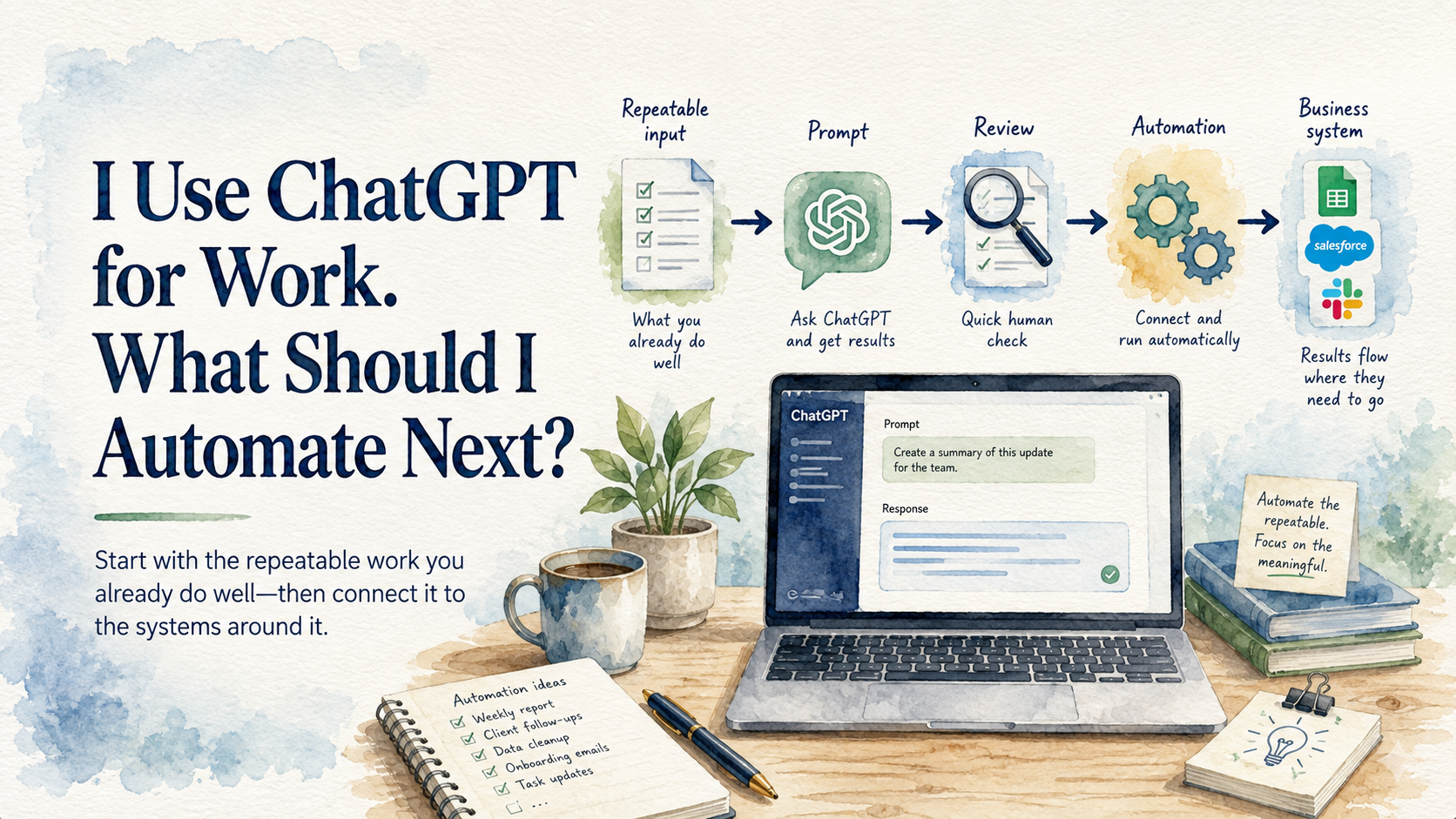
If you use ChatGPT often, you have probably built a few routines without meaning to. The same kind of information goes in, you ask for a familiar result, and then you carry that result into another system yourself.
That last step is where I would look for your first automation. The prompt has already survived real use. You know what a good answer looks like, and you have probably learned which answers need another pass. Connecting that familiar piece of work to the system around it is a much safer move than handing an AI agent a broad job and hoping it behaves.
The best candidate is usually tied to work the business cannot afford to lose. Saving five minutes is nice. Keeping a customer request from sitting unnoticed in a shared inbox is a stronger reason to build something.
Follow the Copy and Paste
Think about a service request that arrives by email. The customer describes the issue in a paragraph, includes a photo, and expects someone to turn that message into actual work. Before anything can be scheduled, a person has to read the thread and create a usable record in the job system.
Some owners already use ChatGPT for this. They paste in the email and ask it to pull out the useful details or show what is still missing. The result is reviewed, then copied into the system the team uses to schedule and complete the job.
That is a meaningful automation candidate because the handoff sits between a customer asking for help and the business acting on it. When the service address never makes it into the job record, the office has to reopen the email and chase it down later. When the request never leaves the inbox at all, the customer is left waiting while everyone assumes somebody else handled it.
A sensible first version would watch one approved inbox and prepare a draft intake record from each new service request. The original message would remain attached, and the draft would wait for a person to review it before the job entered the schedule.
The human review still matters. A photo may show more than the customer described, while a forwarded thread may contain an old address that no longer applies. AI can organize the message and point out missing information. The office still decides whether the record is complete enough to become a job.
This removes the retyping without hiding the judgment that keeps bad information from moving deeper into the business. It also gives the workflow a clear boundary: prepare the intake record and stop there.
I would leave the prompt mostly alone while testing the connection. Changing the instructions and the way information reaches ChatGPT at the same time makes a bad result harder to diagnose. The prompt may be the problem, or the email may have arrived in a format the workflow did not expect. Keeping one part familiar makes the new part easier to evaluate.
The corrections are useful evidence. If the office keeps changing the service category, the prompt may need better definitions. If the street address is regularly absent, the intake process needs a way to ask the customer for it. Automation has a way of exposing the small gaps people quietly repair during manual work.
Give It One Job
The first version should have a beginning that nobody has to remember. A new message in the approved inbox starts the work. The process ends with a draft record waiting in a review queue, where the office can compare it with the customer’s actual message.
The workflow should also know when to stop. If it cannot tell which customer sent the request, it should flag the message instead of choosing the closest name. One honest exception is easier to deal with than a clean-looking job filed under the wrong customer.
Visibility matters here. Someone needs to see when the workflow ran and whether it finished. A failure that disappears into a log file will eventually become a customer wondering why nobody called back.
I would keep the manual route available during the trial. The office can still create a job from the original email if the connection breaks. That fallback gives the team room to fix the automation properly instead of trusting a bad result because work has to keep moving.
Someone should also know which account owns the connection and where failures appear. Six months later, a changed mailbox permission can quietly interrupt the workflow. Clear ownership turns that into a repair instead of several days of missing intake records.
After a few weeks, look at the actual exceptions. The recurring corrections will tell you more than the number of records processed. A workflow that saves typing but creates uncertainty for the person scheduling the work has not earned a larger role.
Expansion should follow what the business has seen work. Once the draft records are consistently accurate, the workflow might request one specific missing detail or route an unusual request to the right person. Each added responsibility should solve a problem that showed up during use.
Some ChatGPT habits should stay manual. Open-ended research and strategic decisions change too much from one use to the next. A recurring prompt that stands between an incoming request and a required business record has a clearer shape. Its source is known, its result can be checked, and failure has a consequence worth preventing.
That is the practical next step after using ChatGPT manually. Find the repeated prompt attached to work that matters, then connect it carefully enough that the result stays visible. The goal is one dependable handoff that keeps real work moving.