
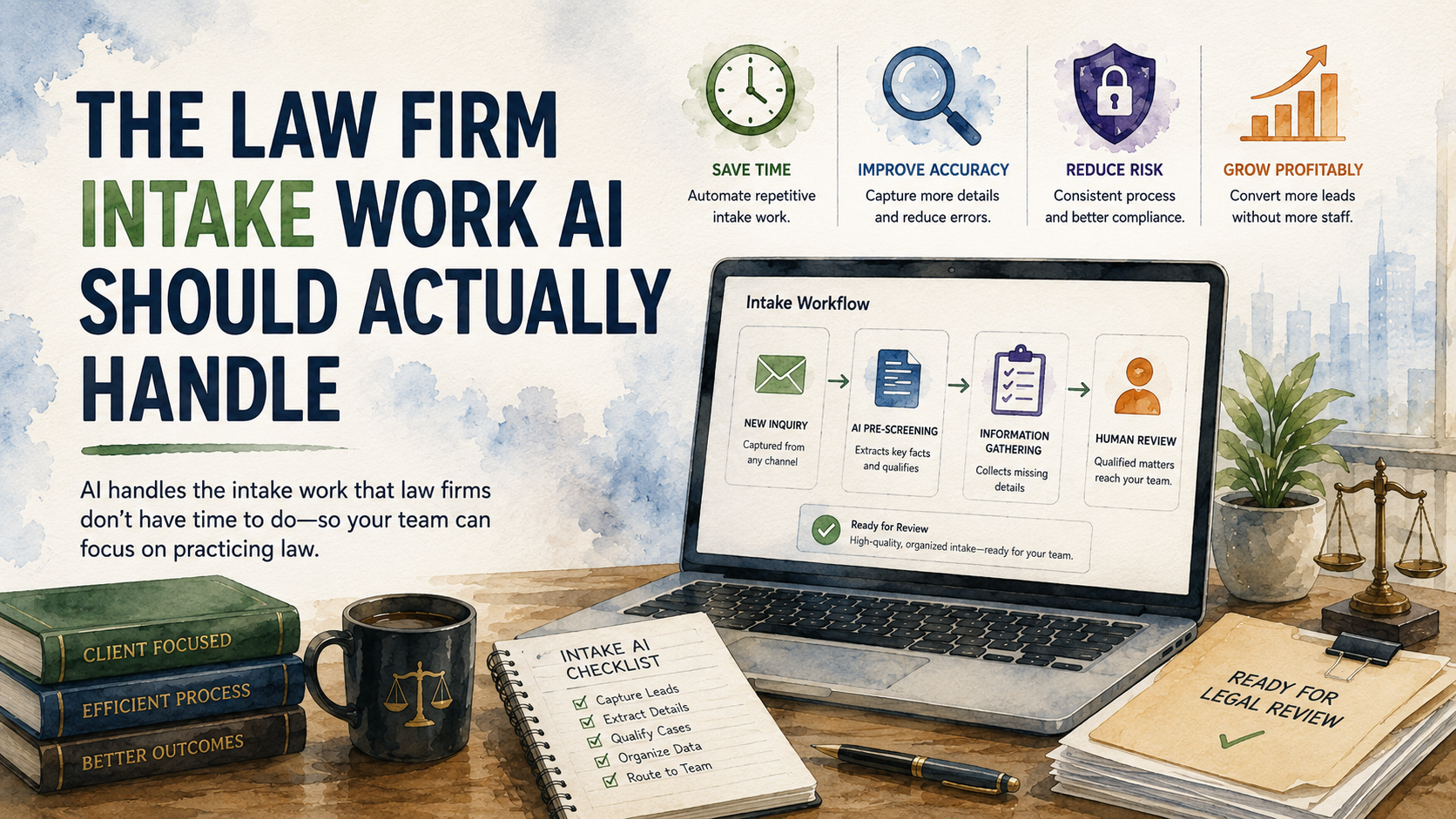
Most law offices do not need an AI system that tries to be a lawyer. They need help with the work that happens before a lawyer can usefully review a new inquiry.
That work is usually plain and repetitive. A prospective client sends an email or fills out a form with very little context. Someone on staff reads through it and tries to turn it into a file. They look for the people involved, the dates that matter, and any sign that the request should be handled quickly.
This is not the glamorous part of legal work. It is also not optional. A law office cannot make good decisions from half-organized facts.
Where Intake Starts to Drift
Intake rarely breaks because the firm has no process at all. It usually breaks because the process relies on people doing careful cleanup work while they are already busy.
A new inquiry comes in from the website. The person says they were terminated from a job, but the employer's legal name is not included. The message mentions medical leave, but there is no timeline. A document is attached with a file name like scan_0426.pdf. The intake coordinator opens it and sends a follow-up asking for the missing information.
Then the day moves on. By the time the original client replies, the intake is no longer a single clean thread. It is a partial form plus a staff member's memory of what still needs to happen.
None of this means the office is poorly run. It is what happens when important administrative work lives inside general-purpose tools. Email is good for communication, but it is not a reliable intake queue. A form is good for collecting answers, but it does not know whether the answers are complete.
The Work That Gets Handed Down
In many firms, intake preparation gets handed to the person closest to the inbox. Their job is not just to "read the request."
They are translating a client's story into a usable internal summary. They are looking for facts that might matter for conflict-check prep. They are noticing missing documents. They are deciding whether the request is routine or time-sensitive. They are drafting follow-up emails that sound professional without creating expectations the firm has not approved.
The work is easy to delegate because each individual task looks small. But the combined burden is not small. A person can lose fifteen minutes just figuring out what came in and what is still missing.
The risk is not only wasted staff time. The larger risk is inconsistent preparation. One file reaches the attorney with a clean summary and all relevant attachments. Another arrives with missing dates and no clear next step. A third sits too long because nobody noticed that one sentence in the uploaded notice changed the urgency.
That is the work AI should help with.
What AI Can Do Before the Attorney Reviews
A good AI intake workflow should behave more like a careful assistant than a legal analyst. Its job is to organize what arrived and make the next human review easier.
For example, when a new inquiry arrives, the system can prepare a short internal summary. It can identify the people and organizations mentioned in the request. It can look for visible dates. It can describe the documents that were attached. It can note that the client mentioned a deadline but did not include the notice or letter that created it.
That might produce an internal note like this:
Potential employment inquiry. Prospective client says they were terminated after requesting medical leave. Termination date appears to be May 8, 2026. Employer legal name is missing. No written termination notice attached. Client mentions email correspondence but did not upload it. Needs conflict-check prep and attorney review before any guidance is provided.
That note is not legal advice. It is not a case evaluation. It is a cleaner starting point for the person who has to decide what happens next.
The same idea works for document intake. If a client uploads a demand letter, the system can label it as a demand letter and pull out the response date if it is visible. If a client uploads medical records, the system can identify the provider name and date range without pretending to interpret the medical significance.
The value is not that AI is magically smart. The value is that the firm can define what a reasonably prepared intake should contain, and the system can compare incoming material against that standard every time.
A Better First Workflow
The first version does not need to touch every practice area. It is usually better to choose one intake path where the work is repetitive enough to define clearly.
For an estate planning firm, that might mean website inquiries from prospective clients who want wills or updates to existing documents. The workflow can look for obvious missing information before the consultation is scheduled.
For a personal injury firm, the workflow might prepare the file around the incident date and available records. It should not evaluate the claim or suggest a legal position. It should help staff see whether the intake is ready for review.
For a business law firm, the workflow might focus on contract review inquiries. The system can check whether the agreement is attached and whether the counterparty is named. It can also notice whether the client explained the concern clearly enough for a first review.
This is where bulleted checklists are useful. The workflow should be able to answer a few practical questions before a person opens the file:
- What kind of inquiry does this appear to be?
- Who are the main people or organizations mentioned?
- What documents came in?
- What important dates are visible?
- What is missing before review?
- Does anything appear urgent enough to route immediately?
- What follow-up message should staff review before sending?
Those questions are not trying to practice law. They are trying to reduce the amount of cleanup work that happens before a trained person can practice law.
What Should Not Be Automated
The boundary matters.
AI should not tell a prospective client whether they have a case. It should not decide whether the firm can represent someone. It should not clear conflicts. It should not calculate a deadline and treat the answer as final. It should not send a sensitive client-facing message without review.
It also should not hide uncertainty. If the uploaded document is unclear, the system should say so. If two dates conflict, the system should flag it. If the prospective client describes something urgent without the document that proves the deadline, the system should ask for the document.
A law office should also be careful about data handling. Intake can include medical records, financial records, employment facts, or family disputes. Any AI workflow needs clear rules for data access and review.
This is one reason a behind-the-scenes workflow is a better starting point than a public chatbot. The firm can keep control of the process. Staff can review the output. Attorneys can decide what the facts mean.
The Practical Starting Point
The first project should be small enough that the firm can describe the desired result without inventing a new operating model.
Pick one intake source. Pick one practice area. Define what a good intake packet looks like before attorney review. Then build a workflow that prepares that packet consistently.
The first version might only do a few things. It reads the incoming inquiry, prepares an internal summary, and flags missing information. It can also draft a follow-up message for staff review.
That is enough to matter. It takes a recurring piece of delegated work and makes it more consistent. It gives staff a clearer starting point. It lets attorneys spend less time asking for the file to be cleaned up before they can review it.
Over time, the workflow can become more useful. It can route urgent requests faster and keep a visible queue of intakes waiting on client documents. But the first goal should be simple: make intake preparation less dependent on memory and inbox cleanup.
This is the kind of work Palmetto Intelligence helps businesses systematize. We focus on the manual work that sits between documents and decisions. For law offices, the right starting point is usually not "AI legal advice." It is cleaner preparation before a legal professional reviews the file.
Final Thought
There is a sensible version of AI for law offices, and it is much less dramatic than most of the public conversation around legal AI.
It reads what came in. It prepares a plain-language summary. It points out missing information. It drafts the routine follow-up for review. That does not replace the lawyer. It gives the lawyer, paralegal, or intake coordinator a better file to work from.