
The most revealing day in the life of an automation is the day it stops. The alert arrives, customer work is waiting, and someone has to understand what happened. That person matters more to the platform decision than a long comparison of features.
Zapier, n8n, and custom code can all carry valuable workflows. Each one places the burden of diagnosis and recovery somewhere different. A platform can support every required connection and still be a poor fit when nobody can inspect a failed run. Custom software can lower transaction costs while leaving the business dependent on the developer who wrote it.
AI has changed the economics of this choice. A capable technical person can now build and maintain many n8n workflows or custom integrations with substantially less effort. Options that once required too much development time may now be practical for an ordinary business operation. The comparison should reflect what that person can accomplish with AI today.
Ownership Comes First
Name the person or provider responsible for the workflow before choosing the platform. That owner needs access to run history and credentials. The role also includes approving changes when the business process moves.
The likely owner changes the decision. A nontechnical office manager may benefit from a managed platform with familiar integrations and visible task history. An internal technical team may prefer greater control over hosting and logic. A business with a dependable development partner can justify custom code for a workflow that has unusual requirements.
Once you’ve chosen who will maintain the automation, make sure they can work with someone who understands the process it supports. The technical owner can keep the workflow running, while the team using it can judge whether the results are useful and correct. Both need a clear way to report problems and agree on changes.
When Zapier Fits
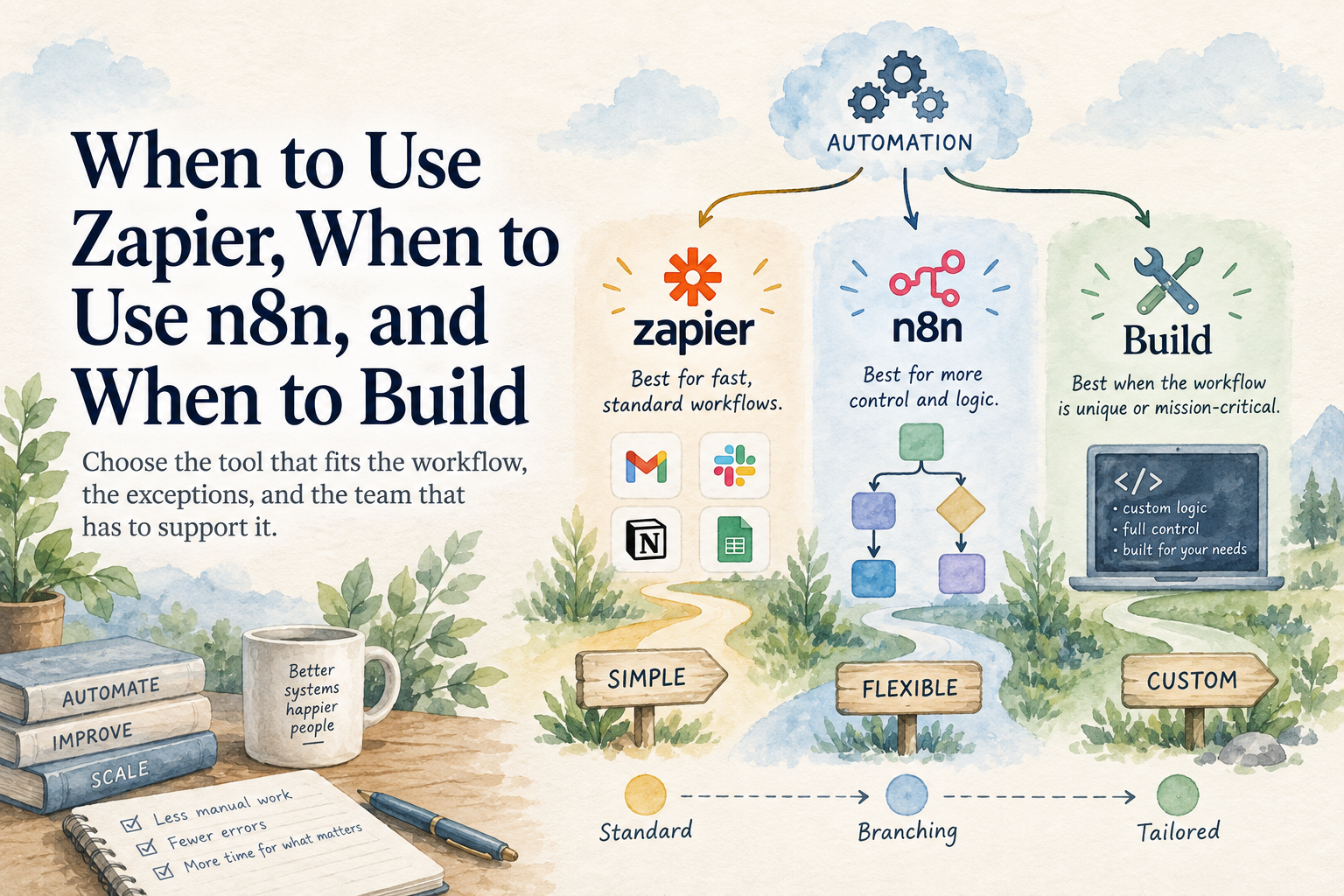
Zapier is often a sensible choice for a straightforward connection between common cloud applications. The platform reduces the work required to handle authentication and provides a visual record of each run. That convenience can be worth more than a lower monthly software bill.
A strong Zapier workflow usually has a clear trigger and limited branching. A form submission creates a contact, assigns an owner, and records the source. The logic remains understandable to someone who did not build it.
Complexity changes the tradeoff because deep branching and heavy data transformation can become difficult to inspect. Task volume may also affect cost, so the business should model expected usage and confirm how failures are surfaced before relying on the connection.
The existing Palmetto article Your Zaps Are Not an Operating System explains why a collection of simple triggers cannot carry every operational exception. That limit does not make Zapier a bad tool. It defines the work the platform should be asked to own.
When n8n Fits
n8n gives a technical owner more control over workflow logic and deployment. It can be attractive when a process needs detailed branching or custom API work. The additional flexibility also creates more responsibility.
Someone must understand the hosting arrangement when the business runs it outside a managed service. Updates and backups need ownership. Credentials must be protected, and error handling has to be designed rather than assumed.
The visual editor can make a workflow easier to inspect, but a large canvas still becomes software. Clear naming and reusable components matter. So does documentation that explains what the business expects from the result.
AI makes that technical work much more manageable. n8n’s AI Workflow Builder can help create, refine, and debug workflows from natural-language instructions. A technical owner can use AI to work through unfamiliar integrations and diagnose errors faster, while checking the result against what the business needs.
For many routine operations, this can substantially reduce the cost of developing and maintaining an n8n workflow. With a capable technical person using AI, branching logic or a custom connection can be straightforward to manage. The business still needs that person available, but the amount of work involved may be far smaller than an older estimate would suggest.
The deployment decision deserves special attention. A managed version reduces infrastructure responsibility, while self-hosting gives the technical owner more control. That control has value only when someone will patch the environment and verify backups. If the server running n8n goes down, its workflows stop too, and someone has to restore service before automated work can resume.
When Custom Code Earns Its Cost
Custom code is appropriate when the workflow has requirements that general platforms handle awkwardly. A business may need precise control over large data volumes or a specialized integration. The system may also require testing and audit behavior that is easier to manage in a conventional software project.
The code needs a home and an owner. Deployment instructions and monitoring are part of the product. Another capable developer should be able to understand the system without reconstructing it from one person's laptop.
AI-assisted coding has also lowered the development effort behind custom software. A developer can use it to draft integration code and tests, then investigate failures with the relevant logs and business context. Controlled research on AI coding assistance has demonstrated substantial time savings on a defined programming task, though the savings on a complete business system will depend on the work.
That changes when custom code earns its cost. A modest internal workflow may now justify a small custom integration, especially when a general platform would require awkward workarounds or expensive recurring usage. A capable developer with AI can handle much of the complexity of ordinary business automation with relative ease. The estimate should account for that productivity rather than assume every part must be written and investigated manually.
Testing should look like a software project as well. The developer needs representative inputs and known expected results. Changes should be reviewed before deployment, and the business should retain a way to restore the last working version. AI can help produce those tests and deployment instructions as well. The developer remains responsible for verifying them and confirming that the system behaves correctly with real business inputs.
Before You Commit
Ask whoever is recommending the platform to compare the actual cost of building and supporting this workflow with AI available. Zapier’s convenience may still make it the best choice, while an AI-assisted n8n workflow or custom integration may offer more flexibility at a lower total cost. Ask what each option would cost to run and change, and who will maintain it.
Then ask for the ongoing support terms alongside the build price. You need to know who will investigate a failed run and whether fixing it is included in the agreement. A managed platform handles some of the underlying technology, but someone still has to maintain the logic built on top of it. That responsibility should be settled before the workflow starts carrying customer work.
You can revisit the choice as the business gains experience. Higher volume may make custom development economical, or a growing number of exceptions may justify moving a simple workflow into a more flexible tool. Make that move when the current setup creates a measurable cost or limitation. Until then, a tool that handles the work reliably and is affordable to maintain has earned its place.